
Poker account security in 2026: 2FA, phishing and device checks
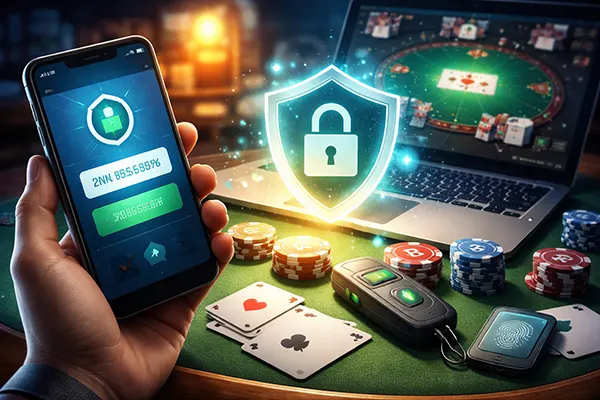
Online poker accounts are attractive targets because they combine money movement, personal data, and a predictable routine: you log in, you play, you cash out. Attackers do not need to “hack the poker room” to hurt you. They only need to take over the weakest link around your account, usually email, passwords reused elsewhere, or a rushed click on a fake login page. Good security is less about one magic setting and more about a small set of habits that close the common doors.
Two-factor protection that actually helps (not just “something extra”)
Two-factor authentication (2FA) is only as strong as the factor you choose. App-based codes and hardware-backed methods are typically harder to steal remotely than text messages, because SMS can be redirected through SIM-swap scams or intercepted if your mobile account is compromised. If your poker room offers a choice, treat SMS as a fallback for emergencies, not the default for a high-value account.
In 2026, many services also offer passkeys or security keys. These are designed to resist common phishing tricks because the login is tied to the real website address, not whatever page you were lured onto. If your poker operator supports passkeys, enable them. If not, a reputable authenticator app with a proper backup plan is still a solid option, especially if it is protected by a device lock and biometrics.
Do not stop at the poker login. Your email inbox is the master key for password resets, security alerts, and device approvals. Secure email first: use strong 2FA there, remove old recovery emails/phone numbers you no longer control, and check that recovery settings are correct. A protected poker account with an unprotected email account is security theatre.
Set up a clean recovery path before something goes wrong
Recovery is where many accounts get lost, because people configure it once and forget it for years. Review your recovery methods like you review your bankroll: deliberately and on schedule. Make sure you can still access your authenticator backups, your recovery codes (if provided), and the phone number or email used for resets. Store recovery codes offline in a place you can reach even if your main device is gone.
Use a password manager and create a unique password for your poker account and your email. This is not just about “strong passwords”; it stops credential stuffing, where criminals try leaked passwords from other sites against your poker login. A password manager also helps you detect fakes: it will not autofill on a lookalike domain, which is a practical safety net against many phishing pages.
Finally, keep a short “incident note” you can act on quickly: what email is attached to the account, what 2FA method you use, where your recovery codes are, and how to contact support. When you are stressed, clarity matters. If an attacker is active, minutes count, and you do not want to be searching through old messages to remember how your own account is configured.
Phishing and social engineering: the attacks poker players see most
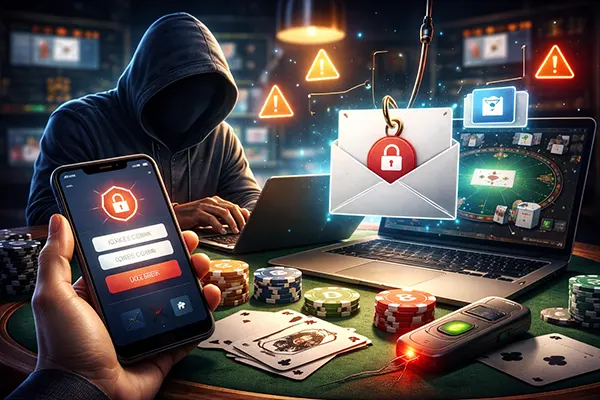
Phishing is rarely a dramatic email full of spelling mistakes now. It can be a clean message that imitates a real cashier notice, a tournament ticket, a “KYC update”, or a withdrawal warning designed to create urgency. The goal is usually one of two things: get you to type your password on a fake page, or trick you into approving a login you did not start.
Train yourself to slow down on anything that asks for a login “right now”. Open the poker room by typing the address yourself or using a trusted bookmark, then check messages inside your account rather than through email links. If you must follow a link, inspect the domain carefully. Attackers rely on small differences, extra words, hyphens, and letters that look similar at a glance.
Be cautious with “helpful” strangers too. Social engineering often happens in chats, forums, and even on social media: someone offers a “support contact”, a “bonus deal”, or claims to be staff who can fix your verification. Real support does not need your password, your 2FA codes, or remote access to your device. If the conversation shifts toward secrets, codes, or screen sharing, treat it as hostile until proven otherwise.
Spot the modern red flags (and the subtle ones)
Watch for pressure tactics: “Your account will be closed today”, “Withdrawal will be cancelled in 30 minutes”, “You have been reported”. Scammers want you stressed because stressed people do not verify details. Another red flag is any request to “confirm” your 2FA code. A 2FA code is not confirmation; it is a key. If you hand it over, you are letting someone walk through the door.
Be sceptical of attachments and “security tools”. A common trick is a fake PDF or a “verification app” that installs malware. If you receive a document claiming you must complete a compliance step, do it via the official account area, not by opening an unknown file. For poker-related software, download only from the operator’s official site and avoid third-party installers that bundle extras.
Push-notification prompts deserve special attention. If your phone shows a login approval request that you did not initiate, do not approve it “just to clear it”. Deny it, then change your password and review active sessions immediately. Repeated prompts can mean someone already has your password and is trying to bypass your second factor by exhausting your attention.
Device and network checks: your hidden risk during everyday play
Even perfect login settings cannot save you if your device is compromised. Keyloggers, clipboard stealers, and browser hijackers are designed to capture credentials and payment details silently. Keep your operating system and browser updated, and remove software you do not use. Most real-world infections take advantage of old weaknesses or risky add-ons, not some movie-style “elite hack”.
Separate poker from general browsing when you can. A dedicated browser profile for poker (no random extensions, no saved passwords outside your manager) reduces the chances that a shady plugin or “coupon tool” sees your sessions. Also review your browser’s saved site permissions: location, notifications, camera, and clipboard access should not be granted casually.
Networks matter too. Public Wi-Fi is not automatically dangerous, but it increases your exposure to interception and fake hotspots. If you play or cash out away from home, prefer your mobile data or a trusted VPN, and avoid logging in through a network you do not control when you are handling withdrawals, identity checks, or sensitive account changes.
A practical device hygiene checklist for poker sessions
Before a serious session or any cashout, do a quick health check: reboot your device, close unnecessary apps, and ensure updates are not pending. Run a trusted security scan if your system supports it, and pay attention to obvious warning signs such as unexplained pop-ups, new toolbars, browser redirects, or sudden performance drops. Those symptoms do not prove malware, but they are enough to postpone sensitive actions until you check properly.
Review active logins and devices inside your account settings. Many services show recent sessions, locations, and device names. If you see a device you do not recognise, sign out of all sessions and change passwords immediately, starting with email, then the poker account, then any payment service linked to withdrawals. Changing only the poker password while leaving email exposed is a common mistake.
Lastly, lock down your devices physically and digitally: strong screen lock, biometric unlock where appropriate, and encrypted storage (common by default on modern phones). If you travel, assume that loss or theft is possible and plan for it. The safest approach is the one that still works when your phone is missing, your laptop is broken, and you need to prove you are you.